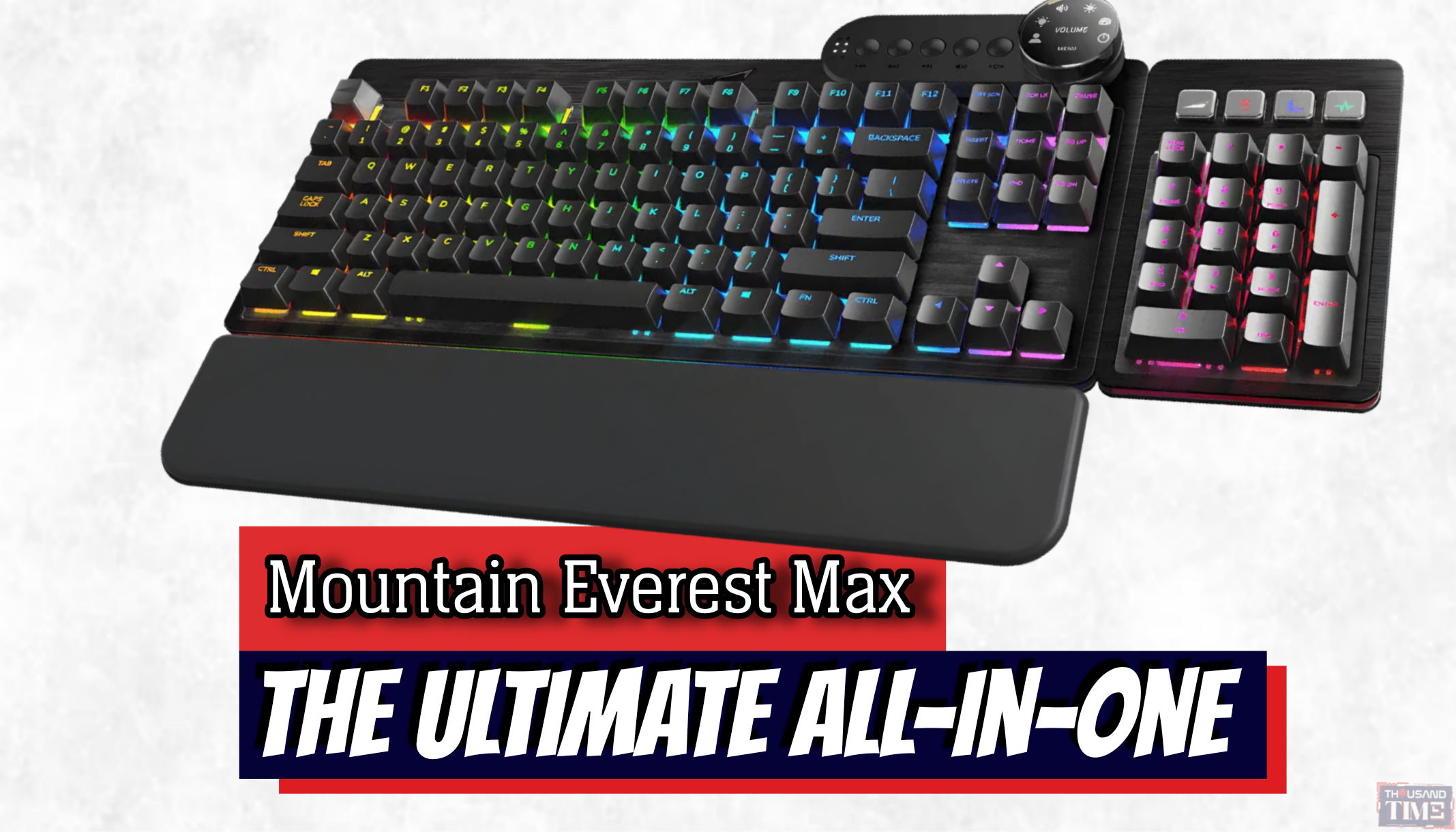
Exploring the modular design, display dials, and typing experience of the Mountain Everest Max.
Look at the modern desk of a digitally engaged professional, a streamer, or a heavy-duty hobbyist, and you will likely find a bizarre technological sprawl. There is the primary keyboard, usually stripped down to a minimalist sixty percent layout for the sake of aesthetics. Beside it sits a standalone macro pad with LCD keys. Somewhere near the monitor, an audio interface handles volume, while a detached numpad floats awkwardly near the mousepad for those inevitable days spent wrestling with spreadsheets. It is a Frankenstein setup. We have bolted together discrete pieces of plastic and metal, tethered by a tangled web of USB cables, all in an attempt to build a workstation that actually does what we need it to do.
The Mountain Everest Max was designed to look at this clutter and offer an alternative. It is not just a keyboard; it is an attempt to consolidate the modern workflow into a single, modular ecosystem. But in a peripheral market overflowing with modular promises that rarely pan out, a question remains. Today, we are looking at whether the Everest Max’s hyper-modular approach is just a clever gimmick, or if it genuinely redefines how a daily workstation should be built.
The custom keyboard community—which has exploded in mainstream popularity over the last five years—has largely prioritized aesthetics and sound over raw utility. Enthusiasts eagerly abandon arrow keys, function rows, and numpads to achieve a perfectly symmetrical, compact block of keys. It looks fantastic in a photograph.
Then Monday morning arrives. You need to enter a column of data, mute your microphone, and skip a Spotify track, and suddenly that beautiful, minimalist board feels entirely inadequate. So, we buy peripherals to patch the holes.
Mountain stepped directly into this gap. The Everest Max attempts a difficult balancing act: offering the enthusiast-level quality that modern typists demand, alongside the creator-level utility that actually makes getting through a workday manageable. It is a rejection of the idea that you must choose between a board that looks good and one that works hard.
Snapping It Together: The Hardware Ecosystem
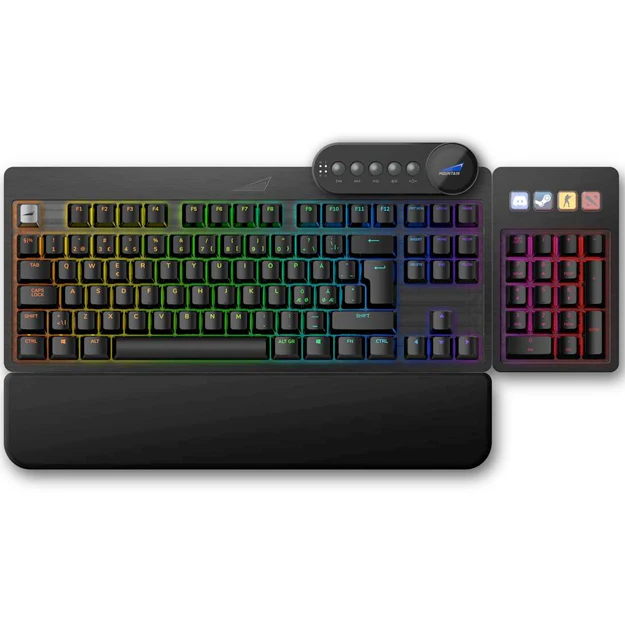
The defining characteristic of the Everest Max is its modularity. It is essentially a solid TKL (tenkeyless) base board that allows you to snap on attachments wherever they serve you best. Perhaps the most visually striking component is the media dock, featuring a tactile display dial. It snaps into the top right or top left of the board, offering a small, circular LCD screen ringed by a textured aluminum wheel.
Is having PC temperatures, volume controls, APM (actions per minute) counters, and a clock directly on your keyboard a massive workflow upgrade, or just a shiny distraction? The answer is a bit of both. From a purely functional standpoint, digging into Windows settings to adjust audio outputs or monitor CPU temps is a friction point. Moving that friction to a physical, tactile dial feels inherently better. It bridges the digital and the physical. Turning a heavy dial to lower the volume of a YouTube video is simply more satisfying—and faster—than clicking through a volume mixer.
Then there is the numpad. Standard full-size keyboards have always placed the number pad on the right. For decades, this has forced right-handed users to push their mouse further away from their body, creating a subtle but persistent ergonomic strain.
The Everest Max’s numpad can slide into either side of the board. Snapping it to the left side is a revelation. Suddenly, you have a massive runway for your mouse—ideal for gaming or navigating large timelines in Premiere Pro—while keeping spreadsheet productivity alive and well on your left hand. It is one of those incredibly simple design shifts that makes you wonder why the industry settled on the right-side default in the first place.
The numpad also features four programmable macro keys with integrated displays, sitting above the numbers. Naturally, the comparison to the Elgato Stream Deck is immediate. While four keys do not replace a sprawling fifteen-key Stream Deck for heavy-duty broadcast production, they are perfect for the everyday digital worker. You can map them to launch specific software, trigger OBS scenes, or execute complex shortcuts, complete with custom icons. It brings the core utility of a macro pad directly into the keyboard’s footprint, eliminating yet another cable and another discrete piece of plastic from the desk.
But Does It Actually Type Well?
The enthusiast mechanical keyboard community is famously uncompromising. All the screens, dials, and modular snaps in the world do not matter if the board sounds hollow and feels cheap. A keyboard is, first and foremost, a tool for typing. The Everest Max approaches this with respect for the current market. It features a hot-swappable PCB, meaning you can pull out the stock Cherry MX switches and replace them with whatever esoteric, heavily lubed switches you prefer, without needing a soldering iron.
The typing experience out of the box is solid, if not perfectly refined. The stabilizers on the larger keys are pre-lubed, which drastically cuts down on the dreaded “rattle” that plagues mainstream gaming boards. The brushed aluminum faceplate gives it a rigid, premium heft.
Frame this not as a binary standard of “perfect or terrible.” It will not sound quite like a $500 custom-built, acoustic-foamed artisan board. But it isn’t trying to. Instead, it provides a highly premium baseline—a board that sounds and feels better than ninety percent of mainstream hardware, with the architecture built-in for you to tweak, swap, and modify to your exact liking.
Thousandtime Thoughts
The Mountain Everest Max is an ambitious piece of hardware that successfully bridges the gap between gamers, content creators, and productivity geeks. It recognizes that modern digital life rarely fits into a single category. Most of us are multitasking—gaming on the weekends, editing video on Tuesday, and staring at Excel on Thursday.
Is it worth the premium price tag? If you already have a desk perfectly dialed in with a custom board, a separate macro pad, and an external audio dial that you love, the Everest Max might be redundant. But if you are tired of the Frankenstein desk setup, tired of managing four different USB cables just to control your media and type your emails, this keyboard is a remarkably elegant solution. It consolidates the chaos.
What do you think is the hardest part of finding the perfect desk setup: the aesthetics, the ergonomics, or the cable management? Let us know below.
PRODUCT IN THIS POST