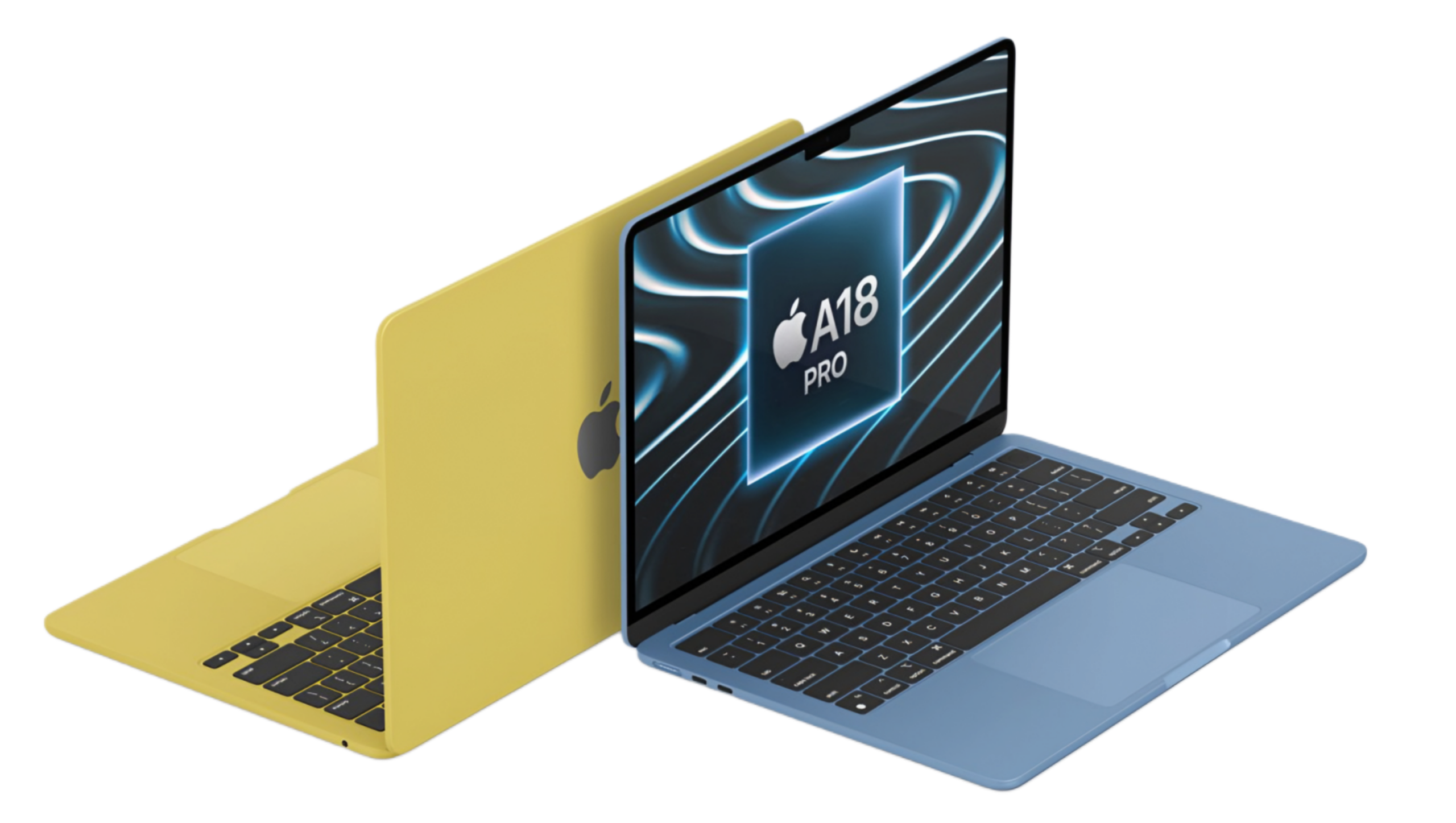
Apple put an iPhone brain inside a sub-$600 laptop. We break down if the A18 Pro chip and 8GB of RAM can actually handle a realistic college workload.
For a long time, the $600 laptop was a promise that nobody could keep. You got plastic that creaked, batteries that surrendered by noon, and processors that treated a Chrome tab like a moral dilemma. If you wanted something that actually worked, you paid for it. And if you wanted a MacBook, you really paid for it.
So when Apple announced the MacBook Neo at under $600, the reasonable response was skepticism. Not cynicism — skepticism. Because Apple does not typically do cheap. They do aspirational, they do ecosystem lock-in, and they do premium pricing with just enough justification to make it feel earned. A sub-$600 MacBook is a category Apple spent fifteen years pretending didn’t need to exist.
The question — and it’s the one every college student, every parent holding a credit card in August, and every budget-conscious buyer is quietly Googling right now — is whether the MacBook Neo is actually good for students, or whether it’s just a beautiful compromise dressed up in Apple’s signature aluminum.
An iPhone Chip in a Laptop Body
Apple didn’t reach for the A18 Pro because it was cheap. They chose it because it runs extraordinarily cool — cool enough that the MacBook Neo ships without a cooling fan entirely. That’s not a cost-cutting move. It’s a thermal calculation. A fanless design means no moving parts, no heat vents clogging with dormant dorm-room dust, and crucially, no fan spinning up at full scream during an online exam. The machine is silent, literally and structurally.
What the A18 Pro does well is exactly what students need most: fast, responsive burst performance. Opening a fifty-page PDF, launching apps, jumping between Notion and a browser — these tasks feel immediate. Snappy in a way that budget Windows machines at this price point simply aren’t. Apple Silicon’s architecture prioritizes this kind of real-world responsiveness, and in daily academic life, that responsiveness is what you notice.
Where things get more nuanced is sustained load. Exporting a ten-minute video in CapCut, running a long data set in a Python notebook, or pushing through a complex Lightroom edit will eventually test the chip’s thermal ceiling. Without active cooling, the A18 Pro throttles rather than roasts — it pulls back performance gracefully instead of crashing dramatically. For most students, that ceiling is never reached. For a film production major or a CS student doing computationally intensive work, it may start to feel like a ceiling worth noticing.
But here’s the reframe worth sitting with: the A18 Pro doesn’t behave like a mobile chip. It behaves like a computer chip that learned efficiency from a mobile environment. The result is battery life that will genuinely outlast a full day of back-to-back lectures, Zoom sessions, and library sessions. We’re talking twelve to fourteen hours under realistic academic conditions. On a Windows machine at this price? You’re hunting for a wall outlet by third period.
The 8GB Conversation Nobody Can Stop Having
Here’s the kind of afternoon that represents a fairly normal college workload: Spotify running in the background, twenty browser tabs open across Chrome (because students use Chrome, regardless of what Apple would prefer), a Google Doc with tracked comments from a professor, and Canva mid-export for a marketing presentation due in two hours. Throw in a Zoom window you forgot to close from this morning.
Under Safari, this scenario runs without visible drama. Apple’s browser is aggressive about memory management in a way Chrome simply isn’t, and on a unified memory system, that discipline matters. Under Chrome, you’ll eventually see the system start to breathe harder. Not crash — breathe harder. Switching between a heavy research portal and the Zoom window might produce a half-second of resistance that wasn’t there an hour ago. The dreaded “Application Memory” warning in Activity Monitor may make an appearance.
Is this a dealbreaker? For most students, no. It’s a nudge, not a wall. macOS handles swap memory — temporarily using storage as memory overflow — more elegantly than Windows does on comparable hardware, and the MacBook Neo’s fast internal storage makes that swap less painful than it sounds. But it is real friction, and it’s worth being honest about.
The students for whom 8GB genuinely starts to pinch are those running creative software at scale: 4K timelines in Final Cut, large Illustrator documents, audio production with multiple plug-ins loaded. For those workflows, the $200 step up to a 16GB model isn’t optional — it’s the actual purchase. For everyone else, 8GB holds up with the understanding that you are working within its terms, not outside them.
The reassuring part is what those terms cover. Writing, research, spreadsheets, video calls, coding in most languages, basic photo editing, presentations — the core academic curriculum fits comfortably within what the MacBook Neo offers. The anxiety around 8GB is real, but for most college students, it’s anxiety about a scenario they’ll rarely actually encounter.
What It’s Like to Actually Use One
It’s light. The battery is genuinely all-day. The display is sharp and bright enough to work outdoors. macOS is, for the purposes of most student software, well-supported — Google’s tools, Microsoft Office, Notion, Figma’s browser version, all of it works without compromise. Apple’s own apps — Pages, Keynote, iMovie — are free, capable, and increasingly underrated.
The campus experience also matters here. Being on Apple’s ecosystem means AirDrop works seamlessly with your iPhone, iCloud keeps your files synchronized without thinking about it, and Continuity features like Handoff let you move between devices without friction. These aren’t luxury features anymore; they’re the invisible connective tissue of a productive student life.
There will always be students who need more. The creative majors, the data science students, the people who run virtual machines or edit broadcast video. The MacBook Neo is not trying to be their machine, and pretending otherwise would be a disservice. But for the student asking whether they can survive — and thrive — through a standard four-year degree on this hardware? The answer, without significant qualification, is yes.
Check out other laptop review here: Zenbook Duo Review: Can One Laptop Replace Your Entire Office?
Think of the MacBook Neo as an appliance. A very good one. The kind that works reliably, stays out of the way, and never gives you a reason to think about it. For 90% of students, that’s exactly what they need. Not a workstation. Not a status symbol. Just a machine that works, every day, for four years.
That used to cost a lot more.
Thousandtime Thoughts
The MacBook has always carried a certain cultural weight — the laptop you aspired to, not the one you defaulted to. The Neo quietly dismantles that. Not with a press release, but with a price tag.
What’s more interesting than the hardware is the threshold it represents. We’ve spent years chasing specs — more RAM, more cores, more headroom — often for workloads that never demanded them. The MacBook Neo is the first budget laptop that makes a credible case that the baseline is finally enough.
For most students, it will be. And that might be the most significant thing Apple has built in years — not the most powerful machine in the room, but the one that makes the conversation about power feel a little less relevant.
PRODUCT IN THIS POST