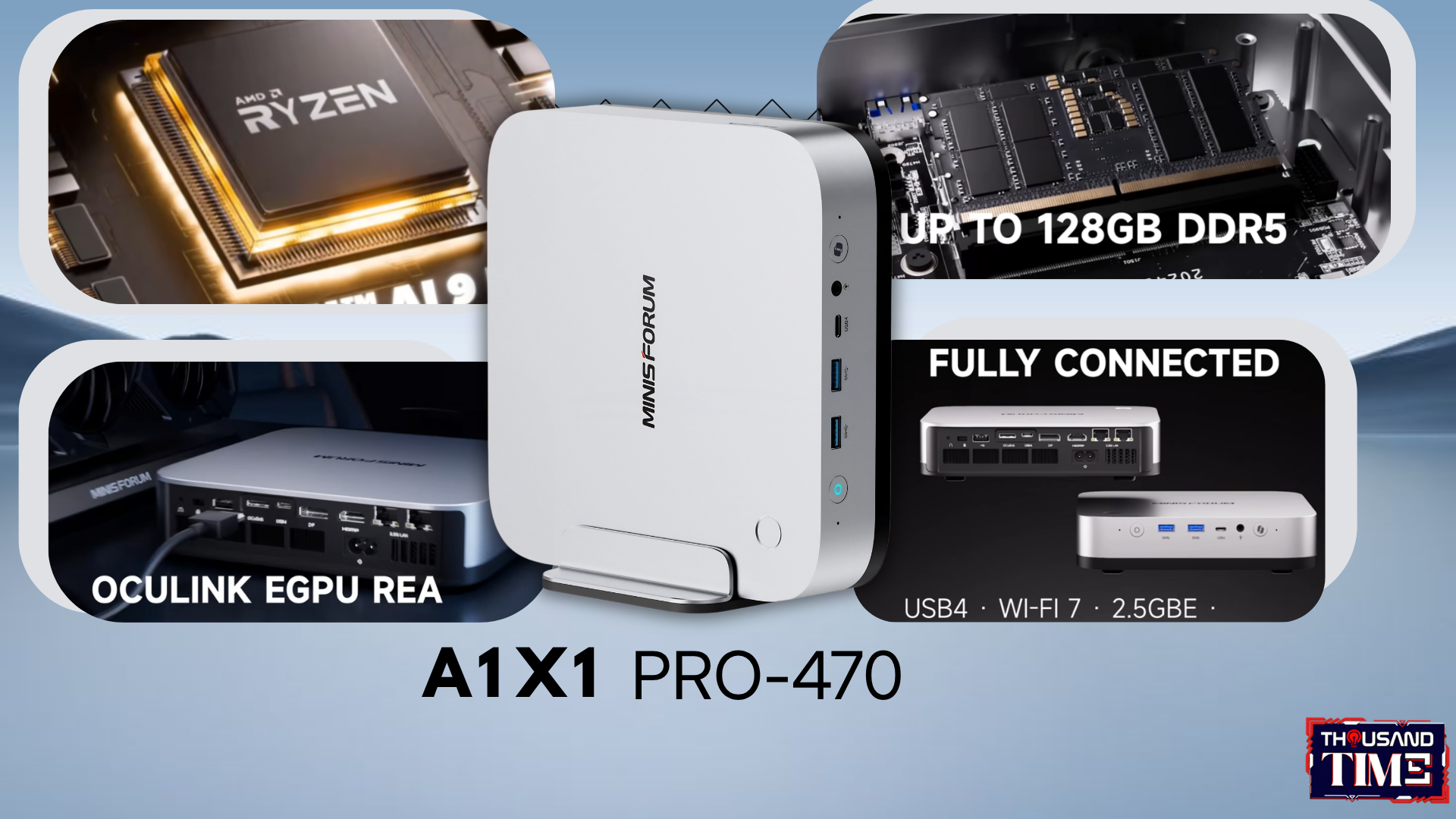
Packing an AMD Ryzen AI 9 HX 470, an 86 TOPS NPU, and room for 12TB of storage, this 1.5kg mini PC wants to replace your massive workstation tower. Does it succeed?
Somewhere under a desk near you, there’s a tower doing triple duty as a computer, a space heater, and a low-grade jet engine — four fans, a tangle of RGB nobody asked for, and a footprint that ate your legroom years ago. The Minisforum AI X1 Pro-470 is betting that a metal box roughly the size of a hardcover book can be a real desktop replacement, not a smaller machine you settle for.
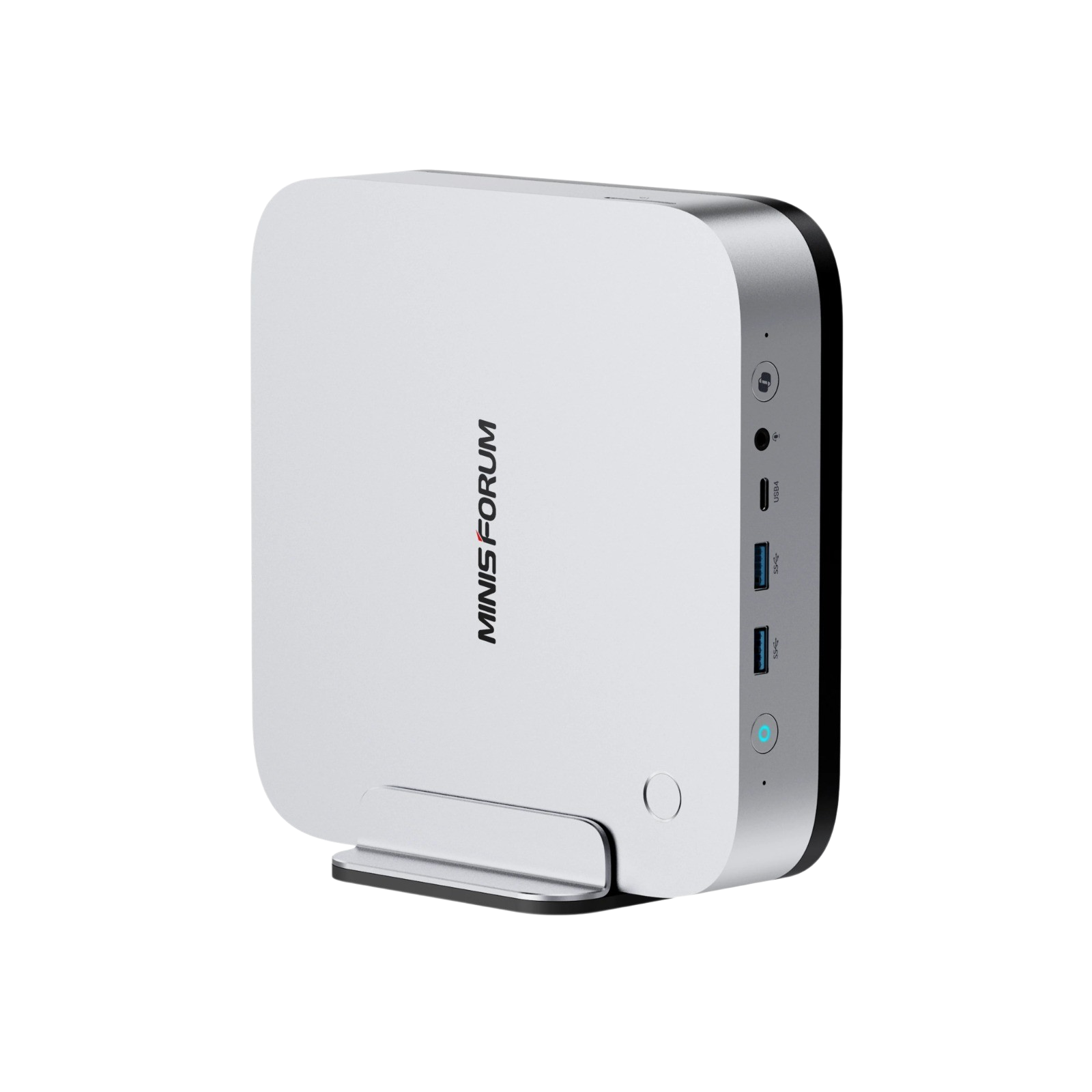
At 195 x 195mm and 1.5 kilograms, it isn’t the smallest mini PC around — Minisforum sells smaller ones itself — but the extra bulk buys something specific. A 135-watt power supply lives inside the chassis, so there’s no external brick, no wall wart, no second cable snaking across the floor. One cord in, and it’s alive.
The chip behind that is AMD’s Ryzen AI 9 HX 470, and its presence here says something about what “mini PC” has come to mean lately. These used to be machines for email and spreadsheets. Now they’re routinely asked to cut 4K timelines, run local AI models, and drive four monitors off one box with no dock in sight — which this one does natively, off its HDMI, DisplayPort, and dual USB4 outputs.
86 TOPS, Some Assembly Required
Every AI-branded PC released this year is fighting the same marketing battle: whose number is bigger. The AI X1 Pro-470 wins that fight on paper, then complicates it almost as soon as you look closer.
Start with the processor. Twelve cores — four full-power Zen 5 cores paired with eight smaller, efficiency-tuned Zen 5c cores — for 24 threads total, part of AMD’s “Gorgon Point” generation. That’s a polite way of saying it’s a refined version of last year’s well-regarded Ryzen AI 300 chips, not something rebuilt from scratch. Refinement gets undersold in chip marketing; most of what’s genuinely better here comes from AMD tightening clocks and squeezing more out of an architecture it already trusted, rather than reinventing anything.
Then there’s the NPU, where the marketing gets loose. The “86 TOPS” figure stamped across nearly every listing for this chip isn’t what the neural processing unit does on its own — that number is 55 TOPS, comfortably clearing Microsoft’s 40-TOPS bar for Copilot+ certification. The full 86 shows up only once you add in what the CPU and integrated GPU separately contribute to AI workloads. It’s not a lie. It’s the same platform-wide math every chipmaker uses now. But the NPU is the part doing the constant, background work — transcription, live captioning, local inference on smaller models — and it’s worth knowing which figure actually describes it.
What that buys a working creator is less dramatic than the headline number and more useful day to day: masking tools in Premiere that respond instead of chugging, a folder of research summarized locally instead of uploaded somewhere first, captions that don’t lag half a sentence behind. None of it is one impressive feature. It’s minutes, saved constantly, in ways you stop noticing until you’re back on a machine without them.
A dedicated Copilot button on the front and a fingerprint sensor for Windows Hello round out the case for this being a considered product, not just a components list stuffed into a metal box.
Twelve Terabytes, One Asterisk
Storage has always been where mini PCs gave up first. Fitting real processing power into a small chassis stopped being hard years ago; giving that chassis somewhere to put the actual work has been the harder problem. The AI X1 Pro-470 answers with three M.2 2280 slots and up to 12TB across them, a number that would have sounded implausible in a machine this size not long ago.
The asterisk: the three slots aren’t equal. Two run full PCIe 4.0 x4, pushing 6,700–7,300 MB/s, fast enough to compete with what you’d build into a tower. The third runs at x1, capped around 1,500–1,900 MB/s. That asymmetry lines up almost exactly with how creators already organize storage anyway: one fast drive for the OS and active applications, a second fast drive as the scratch disk absorbing the constant punishment of caching and rendering, and a third, slower drive for the archive — finished projects, footage you’re not touching today, a RAW photo library that only needs speed when you’re actually scrubbing through it.
Anyone who’s felt a timeline stutter because three jobs were fighting over one drive’s bandwidth will recognize why that separation matters more than the total capacity number does.
Twelve Terabytes, One Asterisk
Storage has always been where mini PCs gave up first. Fitting real processing power into a small chassis stopped being hard years ago; giving that chassis somewhere to put the actual work has been the harder problem. The AI X1 Pro-470 answers with three M.2 2280 slots and up to 12TB across them, a number that would have sounded implausible in a machine this size not long ago.
The asterisk: the three slots aren’t equal. Two run full PCIe 4.0 x4, pushing 6,700–7,300 MB/s, fast enough to compete with what you’d build into a tower. The third runs at x1, capped around 1,500–1,900 MB/s. That asymmetry lines up almost exactly with how creators already organize storage anyway: one fast drive for the OS and active applications, a second fast drive as the scratch disk absorbing the constant punishment of caching and rendering, and a third, slower drive for the archive — finished projects, footage you’re not touching today, a RAW photo library that only needs speed when you’re actually scrubbing through it.
Anyone who’s felt a timeline stutter because three jobs were fighting over one drive’s bandwidth will recognize why that separation matters more than the total capacity number does.
The Graphics Card You’ll Buy Later
Graphics are where this machine is most honest about its limits. The onboard Radeon 890M, with 16 RDNA 3.5 compute units and VRAM allocation configurable up to 48GB pulled from system memory, handles 1080p gaming at medium-to-high settings comfortably and does solid work on the GPU side of content creation, like hardware-accelerated encoding in Premiere. AMD’s own testing puts it roughly 10% ahead of Intel’s closest competing chip in gaming at similar power draw, which tracks with what independent reviews have found since: capable, not dramatic. It will not run modern titles at 4K with ray tracing on, and nobody involved is pretending otherwise.
One catch worth flagging before you buy: early review units configured with 32GB of memory shipped in single-channel mode, one stick instead of two, which noticeably constrains the 890M, since integrated graphics lean on system memory bandwidth to do their job. It’s a cheap fix (a matched dual-channel kit solves it), but it’s exactly the kind of detail a spec sheet won’t volunteer.
The more interesting decision is the OCuLink port around back: a direct PCIe 4.0 x4 connection, which matters because of what it avoids. Routing an external GPU through Thunderbolt or USB4 means tunneling PCIe through a different protocol first, and that costs real bandwidth. OCuLink skips the detour. Plug in a desktop-class RTX or Radeon RX card, and this stops being a mini PC with compromised graphics and becomes a mini PC with a graphics budget you set yourself, on your own timeline.
That’s the actual offer: you’re not buying 4K gaming today. You’re buying the option to add it later, for the cost of one card instead of one entire computer. GTA VI, for what it’s worth, lands on PS5 and Xbox this November with no PC release date announced at all — Rockstar’s history with GTA V and Red Dead Redemption 2 suggests PC players should expect a wait measured in months, if not longer. An OCuLink port can’t change Rockstar’s calendar. It just means that whenever that day comes, upgrading means buying one part, not a new machine.
Who Actually Wants This
Video editors juggling several active projects. Developers running local environments who are tired of a laptop fan spinning up mid-compile. Homelab enthusiasts who specifically want dual 2.5GbE ports, oddly hard to find in this form factor. Anyone who wants workstation-grade multitasking without a workstation-grade footprint claiming half the desk.
It’s a harder sell for two kinds of buyers. Gamers who want 4K ray tracing out of the box, with nothing to configure and nothing left to buy, should look elsewhere — the OCuLink path is real, but it isn’t free, and it asks for more spending before the machine matches what a gaming desktop does on day one. And anyone whose needs stop at browsing and word processing is paying for headroom they’ll never touch; barebones configurations start somewhere around $750–950 depending on promotions, and fully specced units climb well past that.
For the working creator this was actually built for, the desktop replacement question answers itself.
Thousandtime Thoughts
Every era of computing has its own quiet argument about where the thinking should happen. For a while, the answer was wherever the cloud was cheapest, and creative work drifted toward subscriptions, queues, and someone else’s server deciding how fast your files moved. Machines like the AI X1 Pro-470 push back on that drift a little — not because local AI is inherently smarter, but because owning the compute changes who controls the workflow, the data, and the wait.
That matters more than any spec sheet admits. Local inference isn’t just faster. It’s private by default, and it doesn’t degrade because someone else’s servers are having a bad day. The real story here isn’t a mini PC getting powerful. It’s power getting small enough that “powerful” and “small” stopped being opposites worth arguing about.
Which leaves an uncomfortable question for the tower still running under your desk: if a box this size can do the job, what’s all that empty space actually for?
PRODUCT IN THIS POST
Minisforum AI X1 Pro-470
Content you might like after reading this

NASA Artemis Watch 2.0: The…
AM Infinity Review: When a…
Valve’s Ibex Just Rewrote the…
Is the MacBook Neo Good…
Is the Corsair Vanguard Air…

Should You Wait for the…
Surface Pro 11 Long-Term Review:…
Best Controller for Docked ROG…

Galaxy Buds 4 Pro Without…
GPD Win 5 Review: Can…
AndaSeat Novice Review: The “Stealth”…

Razer Viper V3 Pro vs.…
How Intel’s New “Binary Tool”…

The iKKO Mind One: 2026’s…

The Mountain Everest Max: Is…
Samsung Galaxy S26 Ultra: How…
Zenbook Duo Review: Can One…
How the 8.1mm Pebble Round…

SteelSeries QcK Review (2026): Still…